Your Turnitin guidance is moving!
We’re migrating our content to a new guides site. We plan to fully launch this new site in July. We are making changes to our structure that will help with discoverability and content searching. You can preview the new site now. To help you get up to speed with the new guidance structure, please visit our orientation page .
Sådan finder du opgavedatoer og -instruktioner
1. Log på dit universitets administrationssystem (f.eks. Blackboard eller Moodle), som du plejer.
2. Gå til dit kursus og listen over opgaver. Åbn derefter din opgave.
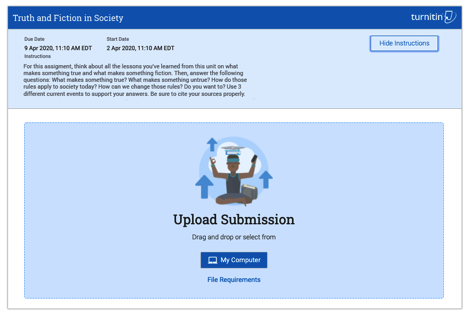
3. Når din opgave åbnes, vil du se et sidehoved med opgavetitlen, opgavens start- og slutdato og en Vis instruktioner-knap.
4. Klik på knappen Vis instruktioner. Dette viser sidehovedet med dine opgaveinstruktioner. Du kan også klikke på knappen Skjul instruktioner for at skjule dem.
Was this page helpful?
We're sorry to hear that.
