Your Turnitin guidance is moving!
We’re migrating our content to a new guides site. We plan to fully launch this new site in July. We are making changes to our structure that will help with discoverability and content searching. You can preview the new site now. To help you get up to speed with the new guidance structure, please visit our orientation page .
To enable rubrics you need to select the settings option in the top menu in the assignment inbox.

From the settings page, select the Optional Settings drop-down.
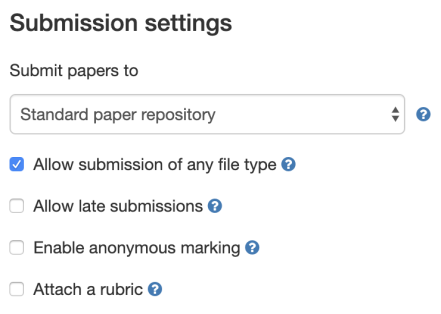
In the submission settings section, select the Attach a rubric check-box.
Select Submit to save your changes.
Was this page helpful?
We're sorry to hear that.
