Your Turnitin guidance is moving!
We’re migrating our content to a new guides site. We plan to fully launch this new site in July. We are making changes to our structure that will help with discoverability and content searching. You can preview the new site now. To help you get up to speed with the new guidance structure, please visit our orientation page .
Criação de um trabalho LTI 1.3
- Navegue até o curso no qual deseja adicionar o Turnitin.
-
Selecione a guia de Conteúdo.
-
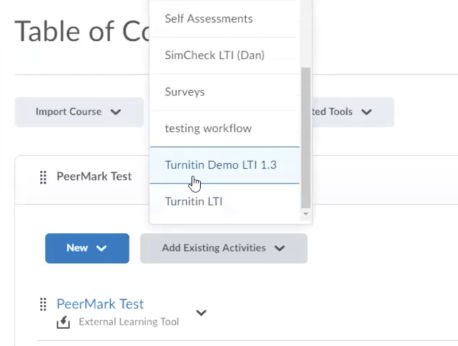
Selecione o seu registro do botão Adicionar Atividades Existentes.
-
Selecione a conta relevante para este registro usando os botões de rádio. Use o botão Próximo para continuar.
-
Revise o conteúdo na tela de confirmação. Se tudo parecer correto, selecione o botão Confirmar e Concluir para finalizar sua configuração.
-
Tudo pronto! Certifique-se de verificar o restante da orientação para aprender a como usar da melhor forma o Turnitin em seu trabalho.
Was this page helpful?
We're sorry to hear that.
