Your Turnitin guidance is moving!
We’re migrating our content to a new guides site. We plan to fully launch this new site in July. We are making changes to our structure that will help with discoverability and content searching. You can preview the new site now. To help you get up to speed with the new guidance structure, please visit our orientation page .
Restaurar a lixeira
- Selecione
 Lixeira na barra lateral.
 -
Selecione os itens que deseja restaurar.
Você pode restaurar vários itens de uma vez usando as caixas de seleção.
- Pressione Restaurar na parte superior da página para restaurar os itens selecionados para Meus Arquivos.
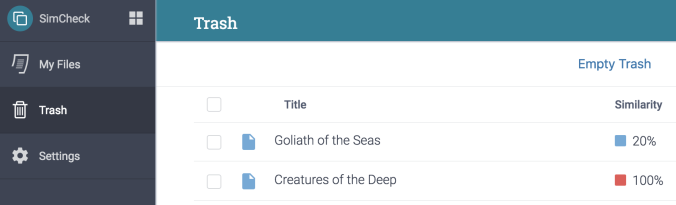
Todos os itens restaurados serão restaurados no local original. Se o seu item ficava em uma pasta que já foi excluída, o item será restaurado para o nível superior de Meus Arquivos.
Was this page helpful?
We're sorry to hear that.
