Your Turnitin guidance is moving!
We’re migrating our content to a new guides site. We plan to fully launch this new site in July. We are making changes to our structure that will help with discoverability and content searching. You can preview the new site now. To help you get up to speed with the new guidance structure, please visit our orientation page .
- Ürün araç çubuğunun Gönderi Araçları bölümündeki bilgi simgesini seçin.

- Ekranda bir açılır kutu görünecektir. Bu, ne zaman gönderildiği, en son ne zaman notlandırıldığı ve kelime sayısı gibi yazılı ödev hakkında tuttuğumuz tüm bilgileri gösterecektir.
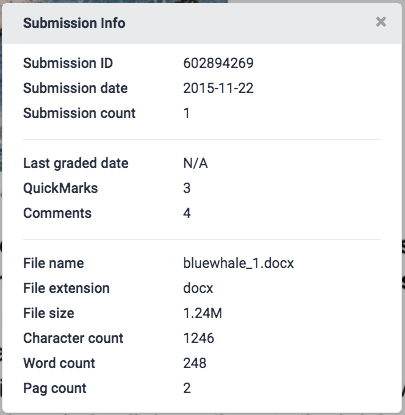
- Kapatmak için Gönderi Bilgileri açılır kutusunun sağ üst köşesinde bulunan x simgesini seçin
Thank you! Your feedback will help us to improve this guide.
Was this page helpful?
We're sorry to hear that.
